
Key takeaways
- AI content creation tools help teams produce more across text, image, video, and audio without adding headcount or budget in proportion.
- The strongest 2026 tools go beyond basic generation. They offer brand voice controls, workflow integrations, and governance features that enterprise teams need.
- No single AI tool covers every content need. Most teams combine specialized tools, or work inside a connected system like Hootsuite Social OS, across the full workflow.
- AI speeds up drafting and production, but strategy, fact-checking, and brand judgment stay with people.
What are AI content creation tools?
AI content creation tools use artificial intelligence to generate written, visual, audio, or video content based on prompts, helping teams create content faster and at scale.
The category has widened considerably — generative AI is now a projected $394.66 billion market, and AI-driven content is among the defining social media trends for 2026. Early tools mostly wrote copy. In 2026, most are multi-modal and workflow-aware, meaning they draft, design, edit video, and plug into the systems where the work actually happens.
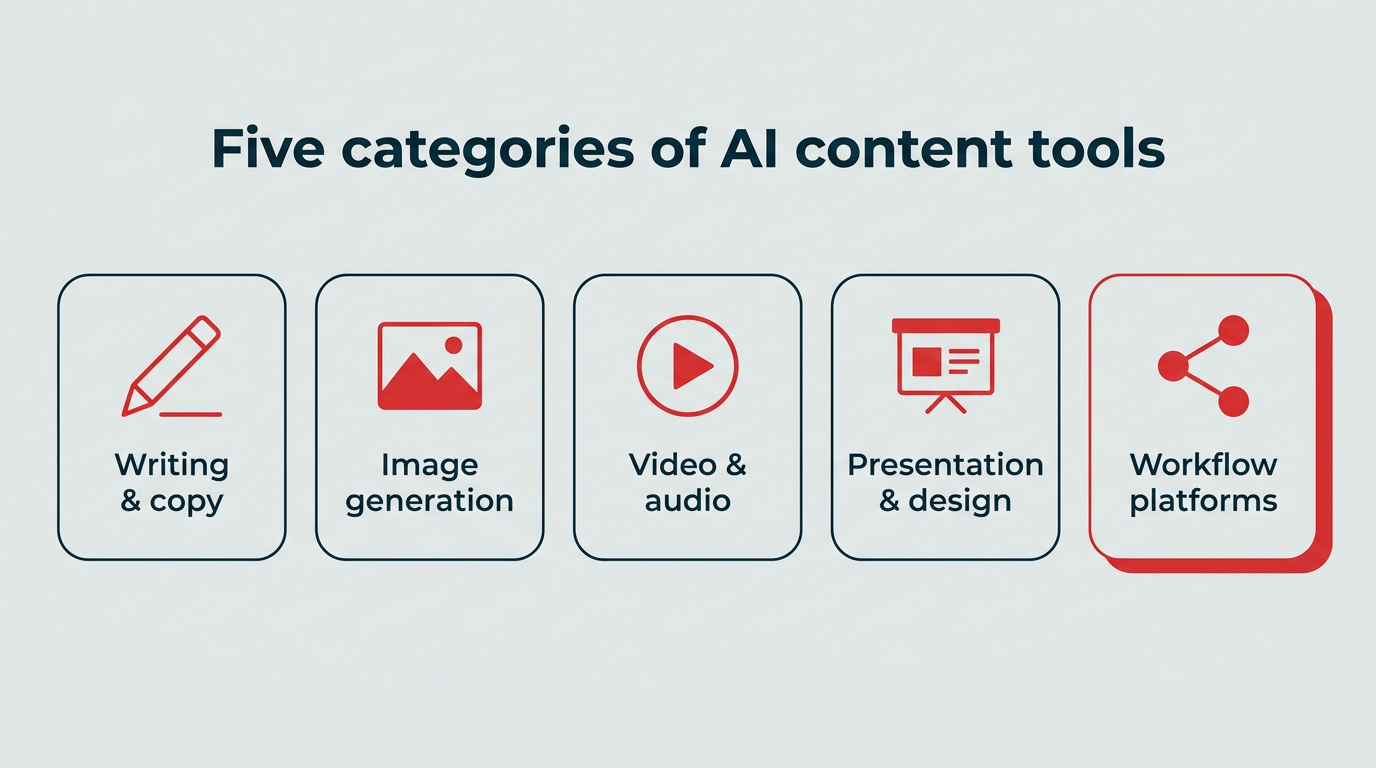
You will generally find them in five buckets: writing and copy, image generation, video and audio, presentation and design, and workflow platforms that connect the rest. Common examples include ChatGPT, Midjourney, Jasper, Canva, and Hootsuite’s AI writing tools, now part of Perch inside Hootsuite Social OS.
How do AI content creation tools compare on features, pricing, and best use cases?
Before the deep dives, here is how the best AI tools for content creation stack up side by side. We looked at what each tool is genuinely good at, whether there is a way to test it without paying, and where it fits in a marketing workflow.
| Tool | Best for | Content type | Free plan? | Starting price | Key differentiator |
|---|---|---|---|---|---|
| Hootsuite Social OS (Perch + Wisdom) | Social content creation, planning, and publishing | Text, visual | Free trial | $99/user/month (Standard) | Creation connected to scheduling, analytics, and governance |
| ChatGPT | Drafting, brainstorming, outlines | Text, image | Yes | $20/month (Plus) | General-purpose assistant with custom GPTs |
| Claude | Long documents, research, code | Text | Yes | $20/month (Pro) | Handles large context windows well |
| Jasper | Brand voice at scale | Text, image | Free trial | $39/month (Creator, billed annually) | Brand voice and tone controls |
| Copy.ai | Sales and go-to-market copy | Text | No | $29/month | GTM workflow automation |
| Midjourney | Stylized social graphics | Image | No | Paid plans only (check vendor for current rates) | Distinctive art direction and style control |
| Canva | On-brand templates and quick edits | Image, video | Yes | Paid Pro tier (check vendor for current rates) | Magic Design plus brand kits |
| Descript | Podcast and video editing | Video, audio | Yes | $24/month (Hobbyist, billed monthly) | Transcript-based editing |
| InVideo | Short-form video from prompts | Video | Yes | InVideo offers paid tiers (check vendor for current rates) | Text-to-video generation |
| Beautiful.ai | Reports and pitch decks | Presentation | Free trial | Beautiful.ai offers Pro, Team, and Enterprise tiers with a free trial (check vendor for current rates) | Slides that format themselves |
| Hootsuite free tools | Captions, hashtags, YouTube copy | Text | Yes | Free | Built specifically for social platforms |
Pricing reflects publicly listed plans at time of writing and may change. Check each vendor for current rates.
What are the benefits of using AI content creation tools?
AI content creation tools help marketers create, optimize, and scale content with less manual effort. They can assist with brainstorming, drafting, and managing everyday content tasks.
Here are four benefits worth building a workflow around.
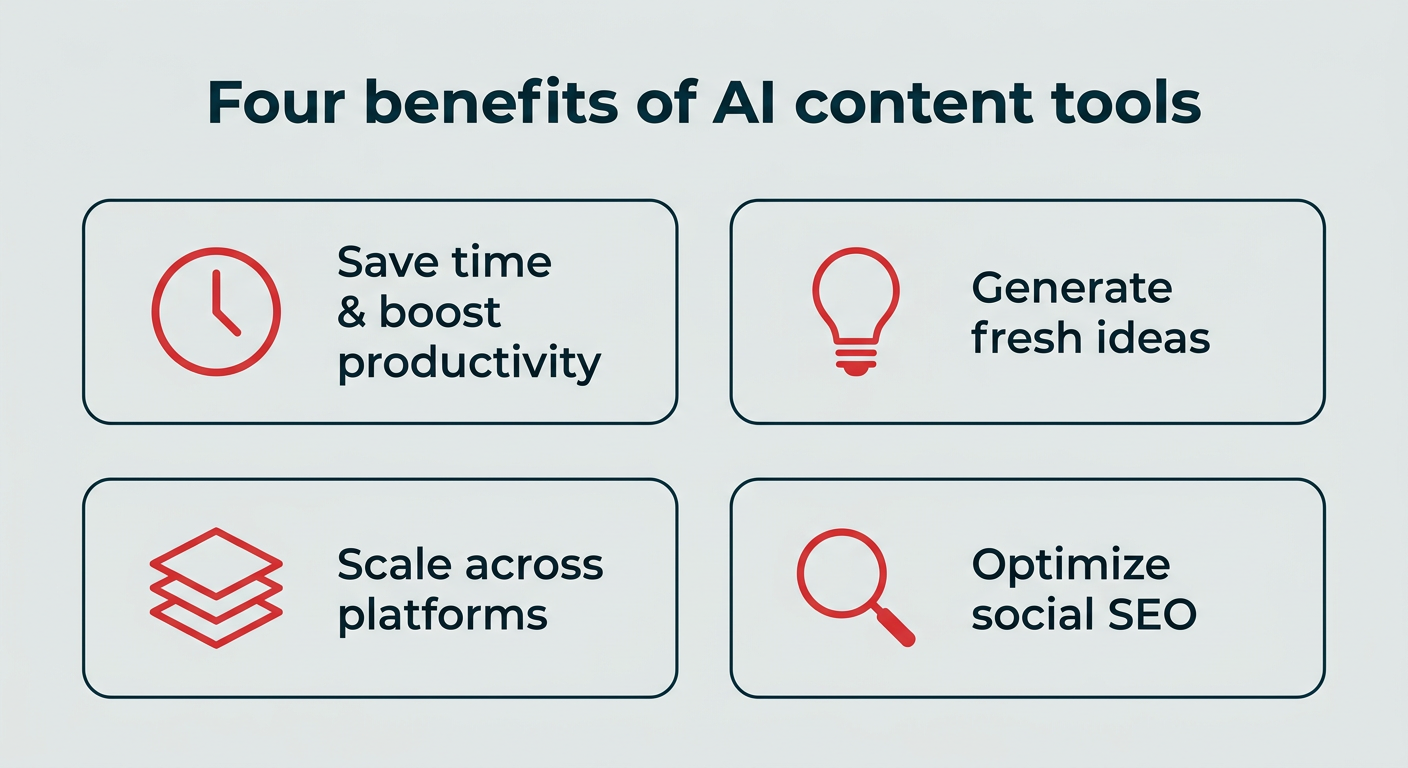
Save time and boost productivity
The clearest win is time back. With 51% of content professionals using AI to accelerate production, it can take over smaller, more menial tasks, helping your team save time and focus on the bigger picture. Some use cases include:
- Proofreading: Spelling and grammar
- Batch content creation: Like generating product descriptions or summaries
- Research: Like summarizing reports or analyzing vast amounts of data
- Captioning: And other accessibility needs, like voiceovers
- Basic graphic design: Help
Chelse Hensley, Social Media Strategist at graphic design software Visme (a tool with its own AI-powered features), uses AI to streamline her workflow.
“I use AI to help me batch tweets from my company’s blog articles,” Hensley shares. “For a volume-based platform like X/Twitter or Threads, it’s extremely helpful to repurpose already-written (and approved by our team!) content into short-form tweets and threads.”
Formatting is another easy win. “I can input my existing content or ideas, and ask AI to formulate it into a bulleted list, or even a cleanly formatted table, which on my own might take hours (especially if you’re Excel challenged like me),” Hensley says. “Formatting is a great way for a SMM to leverage AI.”
Generate ideas and overcome creative blocks
Even the best brainstormers hit a wall. AI can jumpstart the process so your team doesn’t slow down.
You still bring the strategy and creativity. AI gives you a starting point, generating prompts, angles, or post ideas you can mold or build on. Sometimes that first batch of suggestions is all it takes to spark something you would not have landed on otherwise.
Scale content across platforms, formats, and regions
AI helps teams produce more content without dramatically increasing workload. Instead of starting from scratch every time, marketers can repurpose existing content into multiple formats. A single blog post can quickly become an X thread or a video script for Snapchat.
For enterprise teams, the bigger unlock is reach across markets. AI tools can translate content in minutes, making it easier to adapt campaigns for different languages and regions without a separate production cycle for each one.
Smaller teams feel it just as much. When asked how AI helps her do more as a team of one, Hensley says, “THIS is the right question. As so many social media managers are a one-person band, having AI to help draft and repurpose content is crucial.”
Hensley continues, “With the help of AI, I’m able to take tedious, time-consuming tasks and turn them into fast solutions.”
Optimize for social SEO and discoverability
Just like Google and other search engines, social media platforms come with their own SEO rules. If you are still learning how to optimize content across platforms, AI tools can help.
They can suggest keywords, hashtags, and caption structures that improve how social algorithms surface your content in feeds and search results. The result is posts that are easier for the right people to find.
What are the best AI content creation tools for 2026?
The best AI tools for content creation help social media marketers brainstorm ideas, generate copy, design visuals, and edit video in minutes. We have grouped them by category so you can jump to the one that matches your gap.
Best AI writing and copy tools
These tools handle drafting, editing, repurposing, and brand voice. They are the workhorses of most content workflows.
1. Hootsuite Social OS (Perch + Wisdom)
Hootsuite’s AI writing capabilities now live inside Perch, the content, planning, and publishing app in Hootsuite Social OS. You enter a prompt, and it turns that into social captions, post ideas, and content variations you can schedule without leaving the platform.
What separates it from a general chatbot is context. The AI is trained on Hootsuite’s social media playbook, which means it combines a strong language model with content formulas drawn from more than a decade of social marketing experience. Wisdom, the AI orchestration layer across Social OS, ties creation to the rest of your workflow so drafting, approvals, and scheduling stay connected.
Key features:
- Write a new social media caption in a specific tone of voice
- Write a post based on a link (i.e., a blog post or a product page)
- Generate post ideas based on a keyword or topic (and then write posts expanding on the idea you like best)
- Identify and repurpose your top-performing posts
- Create relevant captions for upcoming holidays
Pricing: Standard is $99/user/month, Advanced is $249/user/month, and Enterprise is custom priced. A free trial is available.
Best for: Social teams that want AI content creation connected to planning, publishing, analytics, and approvals in one place.
Limitations: Built for social content specifically, so it is not the tool for long-form blog drafting or technical documentation.
2. ChatGPT
ChatGPT is a conversational AI assistant that can produce human-style content, including social posts, blog articles, outlines, and scripts. Recent models also generate images and support custom GPTs, so teams can build a version primed with their own brand context.

Source: ChatGPT
It works best as a collaborator. ChatGPT can generate ideas and drafts quickly, but it still benefits from human editing, fact-checking, and strategic direction. Creativity, nuance, and brand voice need a human touch.
Key features:
- Idea generation and brainstorming for social posts, ad copy, and more
- Blog outlines and first drafts
- Custom GPTs loaded with your brand guidelines
- Image generation from text prompts
Pricing: Free tier available. Plus is $20/month, Business (formerly Team) is $20/user/month billed annually ($25/user/month billed monthly, 2-seat minimum).
Best for: General-purpose drafting, brainstorming, and research support.
Limitations: Full drafts from scratch tend to read generic, and factual or historical details always need verification against primary sources.
3. Claude
Claude is an AI assistant developed by Anthropic that helps users generate ideas and create content via conversational prompts. It runs on a system called Constitutional AI, which is designed to prioritize safer, more reliable responses.
According to its website, Claude can “process large amounts of information, brainstorm ideas, generate text and code, help you understand subjects, coach you through difficult situations, [and] help simplify your busywork.”

Source: Claude
Key features:
- Generating code snippets for your website
- Coming up with new high-quality content ideas
- Transcribing videos or podcast episodes
- Working through long documents and complex information
- Connecting to external tools, including Hootsuite, through MCP connectors
Pricing: Free tier available. Pro is $20/month, Team is $25/user/month billed annually.
Best for: Working with long documents, research synthesis, and technical content.
Limitations: Not built for end-to-end content production, and summaries still need a human read before anything ships.
4. Jasper
A popular ChatGPT alternative, Jasper specializes in content for articles, social media, scripts, and more. It has also expanded into AI image generation.
What sets Jasper apart is its focus on tone. The platform can generate or rewrite content that matches your brand voice, which makes it a common pick for teams producing high volumes across multiple writers.

Source: Jasper
Key features:
- Brand voice profiles applied across every output
- Translating content into multiple languages to expand global reach
- Content idea generation and outlines
- Image generation for social media posts
- Integrations with Google Docs and other apps, plus a custom API
Pricing: Creator starts at $39/month billed annually ($49/month billed monthly). Pro and Business tiers are available, with a free trial. Jasper leads with Pro and Business on its current pricing page, so confirm Creator availability before you buy.
Best for: Marketing teams that need consistent brand voice across a high volume of content.
Limitations: Leave high-stakes or pillar content to human writers. For sales collateral, landing pages, or major campaigns, AI drafts are a starting point at best.
5. Copy.ai
Copy.ai is an AI platform designed to help marketing and sales teams create content and move faster across their go-to-market workflow.
It goes beyond simple copy generation. Teams can use Copy.ai to research accounts, generate outreach messages, and analyze sales data to support campaigns and account-based marketing.

Source: Copy.ai
Key features:
- Generating marketing and sales copy
- Researching accounts and contacts for sales outreach
- Supporting account-based marketing (ABM) campaigns
- Analyzing sales transcripts and turning those insights into email, content, and paid campaigns
Pricing: Chat starts at $29/month ($24/month billed annually), with Growth, Expansion, Scale, and Enterprise tiers above that. Copy.ai restructured its plans for 2026, so confirm the current lineup and whether a free tier is offered before you buy.
Best for: Revenue teams connecting content production to sales workflows.
Limitations: Built around sales and GTM motions rather than social media content, so it is a poor fit as your primary social tool.
Best AI image generation tools
These handle visuals, from stylized concept art to on-brand templates you can publish the same day.
6. Midjourney
Midjourney is an AI image generation app known for its distinctive visual style. It started as a Discord bot and now runs in a web app as well, so you can generate and refine images without leaving the browser.

Source: Midjourney
Getting started is simple. Anyone can write a prompt and generate an image. Getting the result you actually want takes more finesse. Advanced prompts let you control aspect ratio, art style, and even transparent backgrounds.If you want to go deeper, check our AI art prompting guide.
Key features:
- Social media graphics with a consistent visual style
- Logo concepts and mood boards for presentations
- Elements you can drop into original designs
- Style and aspect ratio parameters for repeatable output
Pricing: Paid subscription only, with Basic, Standard, Pro, and Mega tiers. Midjourney does not publish rates on its homepage, so check its pricing page for current figures. No free plan.
Best for: Stylized, art-directed visuals for social and campaign concepts.
Limitations: The subscription only pays off with ongoing demand for AI graphics, and photorealistic results still take significant prompt work.
7. Canva
Canva is a graphic design platform that helps teams create presentations, documents, mini websites, and more using templates and AI-powered tools. It is one of the more practical ai tools for social media content creation because everything comes out sized and formatted for the platform you are posting to, and it integrates directly with Hootsuite for seamless design-to-publish workflows.
Its AI features sit under “Magic Design.” Upload an image or a piece of content, and Magic Design suggests matching templates, from social posts to quote graphics to documents. That makes it easy to repurpose existing content across platforms while keeping everything visually consistent.
You can also start with a text prompt to generate presentation outlines, infographic designs, and other visual formats. AI tools also handle quick edits like background removal or object cleanup.

Source: Canva
Key features:
- Business graphic templates(here are 50 free social media templates to get you started)
- Magic Design template suggestions for repurposing content
- Brand kits that keep visuals on brand across teams
- AI photo editing, including background removal
Pricing: Free plan available. Canva Pro is a paid tier, with Teams and Enterprise above that. Rates vary by region and billing cycle, so check Canva’s pricing page for current figures.
Best for: Fast, on-brand visuals produced by non-designers.
Limitations: Not a substitute for building brand identity from the ground up. That still calls for human designers.
Best AI video creation tools
Video remains the most resource-heavy format on social. These two tools cut the production time considerably.
8. Descript
Descript is an AI-powered audio and video editing tool that helps you edit long-form videos, podcast episodes, and short clips for social media.
Its most useful feature is transcript-based editing. You edit the transcript to remove filler words, tighten sections, or cut entire clips, and the video updates to match. For anyone who finds timeline editing intimidating, that alone is the reason to try it.

Source: Descript
Key features:
- Transcript-based video and audio editing
- Automatic captioning
- Filler word removal
- Clip generation for short-form social
Pricing: Free plan available. Hobbyist starts at $24/month billed monthly ($16/month billed annually), with Creator and Business tiers above that.
Best for: Turning long-form podcast or video recordings into social-ready clips.
Limitations: It edits existing footage. You still need something recorded to start with.
9. InVideo
InVideo is an AI-powered video creation tool that generates short-form videos from text prompts. It is a helpful option for small teams without the time or resources for full video production.
Start with a prompt like “short-form social media video about financial literacy,” then refine the result with follow-up prompts to adjust language, visuals, or pacing.

Source: Invideo
Key features:
- Text-to-video generation for short-form social
- Prompt-based editing and revisions
- Stock media library
- AI voiceovers
Pricing: Free plan available with watermarks. Paid plans available (check vendor for current rates and plan names).
Best for: Producing quick video content without filming or editing.
Limitations: Not ideal for long-form or highly detailed informational videos, and generated videos usually need manual adjustments for brand tone and messaging.
Best AI presentation and design tools
Reporting and pitching take up more of a social marketer’s week than most job descriptions admit.
10. Beautiful.ai
Beautiful.ai is an AI-powered presentation tool that helps you build polished slides quickly.
That covers a fair chunk of a social media marketer’s tasklist: putting together social media reports for stakeholders, pitching campaign ideas, or creating slides you share online as part of your strategy. LinkedIn lets users post PDF documents directly in the feed, and Beautiful.ai exports to PDF, so a deck can double as a carousel post.

Source: Beautiful.ai
Key features:
- Prompt-generated slide decks
- Smart templates that auto-format as you add content
- Brand controls for consistent decks across a team
- PDF export for LinkedIn document posts
Pricing: Pro, Team, and Enterprise tiers available, with a free trial (check vendor for current rates).
Best for: Marketing slideshows, social media reports, and quick pitch decks.
Limitations: Less suited to in-depth, research-heavy presentations that need custom layouts.
What free AI tools are available for content creation?
Not every task justifies a subscription. Hootsuite offers free AI content creation tools you can use right now, no account required. Here are the three worth bookmarking.
Caption generator
Curious about Hootsuite’s AI writing tools? Try our caption generator for free.
It is not as advanced as the tools inside Perch, but unlike a general chatbot, it is built specifically for social. It creates captions tailored to your chosen platform and supports five languages. The more specific your description, the better the output.
Hashtag generator
Like the caption generator, the free hashtag generator tailors its suggestions to your chosen platform. It works for Instagram, Facebook, TikTok, LinkedIn, Pinterest, and X.
Use it to find relevant hashtags for your next post and help more people discover your content.
YouTube video description generator
Hootsuite’s YouTube video description generator writes a fully optimized description, helping you reach your target audience with the keywords that matter and drive traffic through your CTAs.
Give the description a quick proofread before publishing. A final human touch goes a long way.
More free tools worth trying
Hootsuite also offers a handful of other free generators, each with its own free plan and no signup required:
What are the challenges and limitations of AI content creation?
The main limitation of AI content creation is that these tools work from existing information, which means they cannot reliably produce current research, original insight, or genuine creative judgment. Knowing where the edges are is what keeps AI useful instead of risky.
Here are five limitations to plan around.
- Accuracy and hallucination risk: AI models can state incorrect information with complete confidence. Every statistic, date, quote, and claim needs verification against a primary source before it goes live.
- Generic output: Unprompted AI writing tends to converge on the same phrasing and structure. Without a strong brief and heavy editing, your content reads like everyone else’s.
- No original insight: AI cannot interview a customer, run an experiment, or tell you what happened in your last campaign. Those are the details that make content worth reading.
- Brand voice drift: Without documented guidelines fed into the tool, output varies by writer and by session. Consistency requires guardrails, not good intentions.
- Governance and compliance: In regulated industries, unreviewed AI content can create real legal and regulatory exposure — and 78% of consumers say AI content labeling is critical for maintaining trust. Approval workflows, audit trails, and permissions are not optional. Governance and compliance controls in Hootsuite Social OS, including Vigil, help teams keep AI-assisted content within policy before it publishes.
Freelance Writer Tracy Rawlinson sees the research gap most often: “Many content creators use ChatGPT for outlining (including me). But relying on this alone can leave out a whole heap of important info, like the latest research, expert insights, current trends/demographics, and recent industry case studies.”
As Rawlinson puts it, “AI is great for getting started, but knowing its limitations will help make sure your relevant content is current and well-rounded.” Treat AI output as a first draft and keep human oversight on everything that ships.
How to build an AI content creation workflow
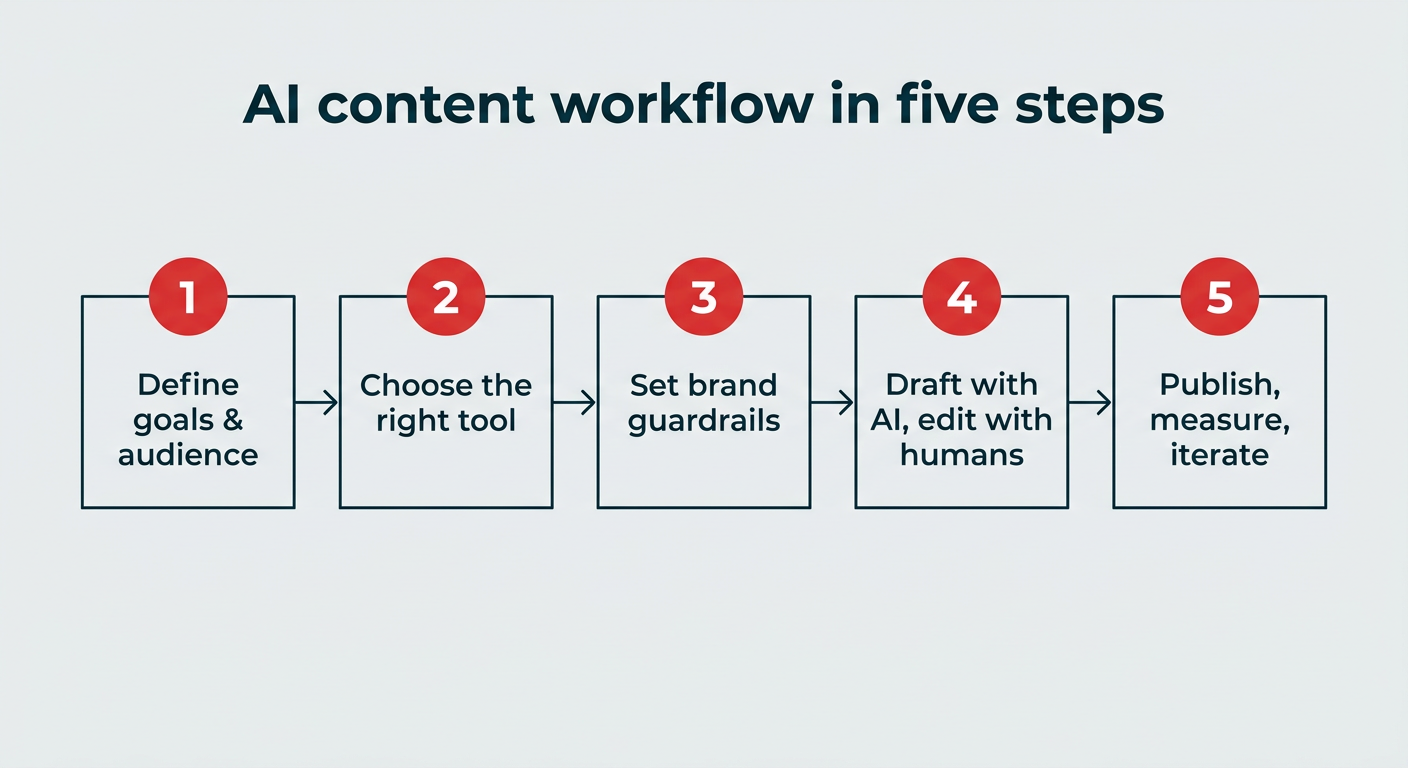
An AI content creation workflow works best when the tools slot into a process you already have, rather than the other way around. Here is the short version:
- Define your content goals and audience
- Choose the right tool for each content type
- Set brand guidelines and AI guardrails
- Draft with AI, edit with humans
- Publish, measure, and iterate
1. Define your content goals and audience
Start with what the content needs to do. Awareness content, community content, and conversion content all call for different formats and different tools. Write down who you are talking to and what you want them to do, then brief the AI with that context every time.
2. Choose the right tool for each content type
Match the tool to the job rather than forcing one tool to cover everything. A writing assistant for captions, an image tool for visuals, a video editor for clips, and a platform that ties it together for scheduling and approvals. Hootsuite Social OS handles the creation, planning, and publishing layers in one place, which cuts down the number of handoffs between apps.
3. Set brand guidelines and AI guardrails
Document your voice, tone, banned phrases, and approval requirements, then load them into every tool your team uses. Decide up front what AI is allowed to touch and what always needs a human author. This is the step most teams skip, and it is the one that prevents the most cleanup later.
4. Draft with AI, edit with humans
Use AI for the first pass: outlines, variations, repurposing, formatting. Then have a person edit for accuracy, add the original insight AI cannot supply, and check it against your brand guidelines. Build the review step into your calendar so it does not get skipped under deadline.
5. Publish, measure, and iterate
Track how AI-assisted content performs against content written from scratch. Look at engagement, reach, and conversion, then feed what works back into your prompts and templates. Analytics inside Hootsuite Social OS make that comparison straightforward, so you can see which formats and angles actually earn results.
How to choose the right AI content creation tool
Choosing an AI content creation tool comes down to fit rather than feature count. Run each option on your shortlist through this checklist:
- Use case fit: Is it built for the content type you actually produce most, whether that is writing, image, video, or presentations?
- Integration: Does it connect to the systems your team already works in, or does it create another tab and another handoff?
- Brand voice controls: Can you load your style guide, tone, and terminology so output stays consistent across writers?
- Governance and compliance: Does it support approval workflows, permissions, and audit trails? For AI content creation for enterprise teams, this is usually the deciding factor.
- Pricing and scalability: What happens to the cost when you add ten more seats, five more brands, or three more regions?
- Output quality: Run the same brief through two or three tools and compare how much editing each draft needs before it is publishable.
Most teams end up with a small stack rather than a single tool. Hootsuite Social OS covers creation, planning, publishing, analytics, and governance in one platform, which reduces how many separate tools you need to evaluate and manage.
How to get the most out of AI content creation tools
Marketers get the most out of AI content creation tools by using them to support creative work rather than replace it. Two practitioners shared what that looks like day to day.
Use AI as an assistant, not a replacement
AI streamlines content creation by taking care of repetitive tasks. It should support your workflow, not stand in for your thinking. As Hensley puts it: “Don’t use AI as an excuse to get lazy creatively.”
Instead, think of AI as an admin assistant. “Let AI do the tedious work for you like cleaning up your notes from a marketing meeting, formatting ideas into tables, repurposing blogs into tweets, and so on. Let your ideas remain original, and use AI to free up more time to keep creating awesomeness,” Hensley shares.
Used this way, you are not handing over the thinking. You are offloading the busywork so you can spend more energy on the creative parts of the job. Your ideas stay human. AI just helps you execute them faster.
Feed AI your brand guidelines for consistency
AI can keep your content consistent by applying your brand voice, tone, and style guidelines across different formats.
Emily K. Schwartz, Head of Content and Comms at marketing incrementality platform Haus, says the right guardrails make a big difference.
“By feeding an AI tool our style guide, voice, tone, and verbiage that is unique to our industry, product, and business, AI makes it easy for our brand voice to come through clearly and consistently, no matter the writer, context, or medium,” she observes.
Getting there is not complicated. Most AI tools rely on prompts, so including brand guidelines, messaging notes, or style preferences keeps the output aligned.
Schwartz adds that AI also catches small details that keep content on-brand: “Whether it’s flagging punctuation that’s misaligned with the brand or suggesting alternate language for a specific context, using AI tools for brand consistency gives everyone on the team a little more confidence that what they’re writing fits the bill, and can be especially helpful with new hires or contractors.”
FAQ: AI content creation tools
What is AI content creation and how do businesses use it in marketing?
AI content creation is the use of artificial intelligence to generate ideas, drafts, captions, and creative assets like images, audio, and video. In 2026, businesses use it to move faster, produce more content across formats, and support marketing teams without increasing workload.
Which AI tool is best for content creation?
The best AI tool for content creation depends on your use case, but Hootsuite Social OS, ChatGPT, and Jasper consistently rank among the top choices for marketing teams in 2026. Hootsuite Social OS suits social teams that need creation connected to publishing and governance, ChatGPT works well for general drafting, and Jasper is built for brand voice at scale.
What AI tools are content creators using in 2026?
Content creators in 2026 are using a mix of AI writing tools (ChatGPT, Claude, Jasper), image generators (Midjourney, Canva), and video tools (Descript, InVideo), alongside integrated platforms like Hootsuite Social OS that tie creation to planning and publishing.
What are the best AI content creation tools for enterprise marketing teams?
The best AI content creation tools for enterprise marketing teams include Hootsuite Social OS (Perch and Wisdom), ChatGPT, Jasper, and Canva. These tools combine strong AI capabilities with collaboration, brand controls, and workflow features that larger teams need.
Are free AI content creation tools good enough for professional use?
Free AI content creation tools can handle basic tasks like drafting captions, generating hashtags, and brainstorming ideas. Professional teams typically need paid tiers for advanced features like brand voice controls, team collaboration, approval workflows, and governance.
How can companies scale content production using AI while maintaining brand quality?
Companies scale content production with AI by using it for drafts, outlines, and repetitive tasks while keeping humans responsible for editing and final approvals. Feeding AI tools your brand guidelines and running output through documented approval steps keeps quality and voice consistent as volume grows.
What are the risks and limitations of AI content creation for brands?
The main risks of AI content creation include hallucinated or outdated information, generic writing, brand voice drift, and compliance exposure in regulated industries. AI works best as a starting point, with humans responsible for fact-checking, editing, and strategy.
How do AI content creation tools affect SEO?
AI content creation tools can support SEO by helping teams produce more keyword-optimized content at scale. Search engines prioritize quality, originality, and demonstrated expertise, so AI-generated content still needs human editing, original insight, and strategic oversight to rank.
What should enterprise teams look for when choosing AI content creation tools?
Enterprise teams should evaluate AI content creation tools based on integration with existing systems, governance and compliance features, brand voice controls, scalability across teams and regions, and output quality. Test the same brief in two or three tools and compare how much editing each draft needs.
How do enterprises build an AI content creation workflow for social media and marketing?
Enterprises build an AI content creation workflow by defining goals, matching tools to content types, setting brand guardrails, drafting with AI and editing with humans, then measuring results and iterating. The workflow section above breaks each of those five steps down in detail.
Save time managing your social media marketing strategy with Hootsuite. Publish and schedule posts, find relevant conversions, measure results, and more â all from one dashboard. Try it free today.