

Key takeaways
- A social inbox tool consolidates DMs, comments, mentions, and customer queries from every social platform into one dashboard.
- The most effective social inbox tools include smart routing, CRM integration, AI-assisted responses, and response-time reporting.
- The right tool depends on your team size, message volume, and which platforms matter most to your audience.
- Hootsuite Social OS combines social inbox capabilities with publishing, analytics, and social listening in one connected system.
A social inbox tool is an online tool designed to manage messages from multiple social media platforms in one place.
With this type of software, you can manage social interactions and reply to public comments, direct messages, comments on social ads, questions, mentions, hashtags, and social customer service requests. That unified view is what sets a social inbox apart, and it’s also why so many teams see the value once they understand the benefits.
Bonus: Get a free, easy-to-use Customer Service Report Template that helps you track and calculate your monthly customer service efforts all in one place.
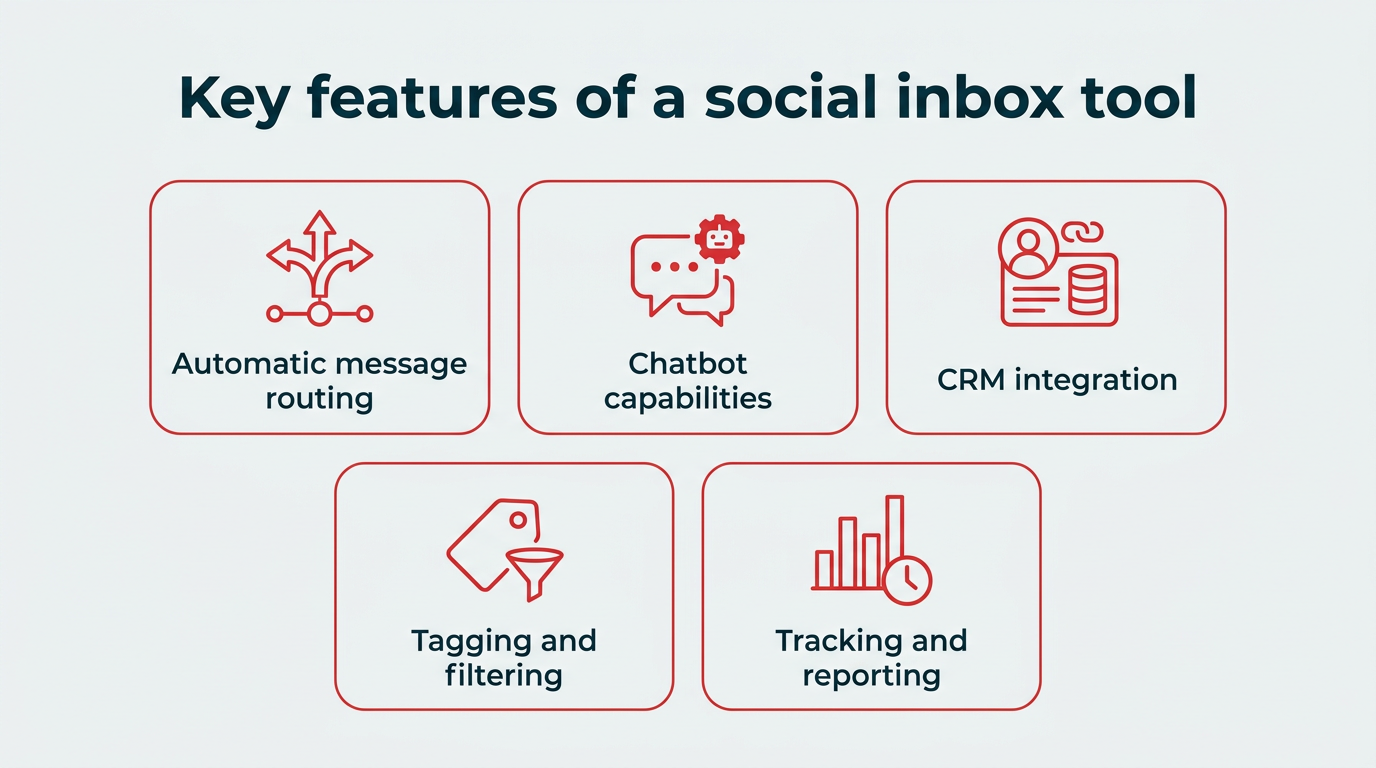
Key features of a social inbox tool
A good unified social inbox tool has additional features that help your team respond faster, collaborate better, and actually learn from the conversations happening every day.
Here are the features that make the biggest difference:
- Automatic message routing: Sends incoming messages to the right person or team.
- Chatbot capabilities: Handle common customer queries (e.g., “What’s your return policy?”).
- CRM integration: See customer history at a glance and respond with context.
- Advanced tagging, sorting, and filtering: Prioritize urgent messages, flag customers, or separate complaints from general questions.
- Tracking and reporting: Measure response time, resolution rates, and customer satisfaction.
All of these features can turn a simple social inbox tool into a true management system for social messaging and social customer support.
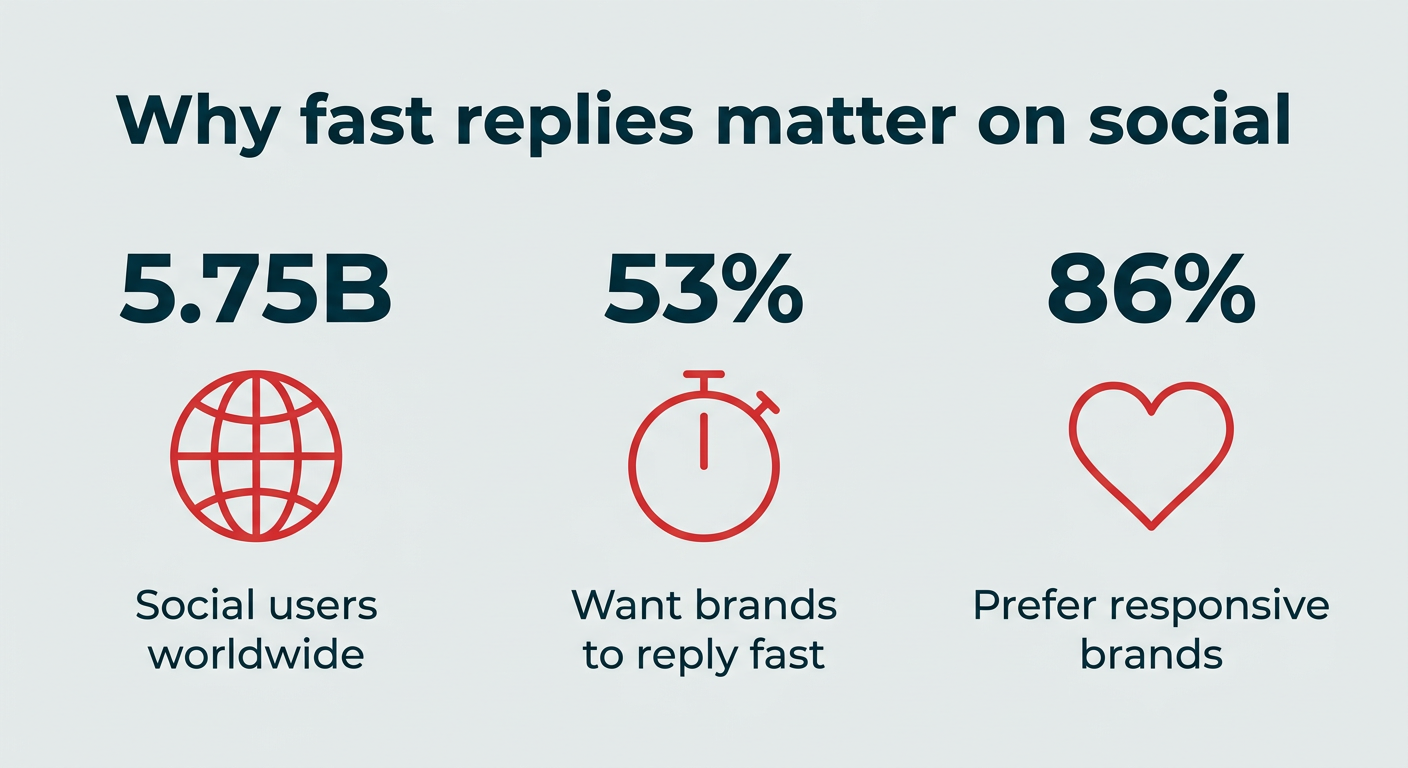
A social inbox tool solves a problem most social teams know well: too many apps, too many messages, and not enough time to answer them all. With social networks now reaching 5.75 billion users worldwide, conversations scattered across native apps mean messages slip through the cracks and response times slide.
Customers now expect quick replies. Over half (53%) of consumers say the most appealing thing a brand can do on social media is respond quickly to direct questions and comments, and slow replies push them toward competitors, especially when 86% of shoppers prefer responsive brands. A social inbox tool helps you meet that expectation without burning out your team.
Here’s what a social inbox tool actually delivers:
- Faster response time: Every message lands in one place, so your team can reply quickly instead of hunting across platforms.
- Fewer missed messages: A unified dashboard surfaces every comment, DM, and mention, so nothing falls through the cracks.
- Team accountability: Assignments and routing make it clear who owns each conversation, which cuts down on duplicate replies and dropped threads.
- Better customer satisfaction: Conversation history and context help your team respond with a personal touch, not a canned answer.
- Unified reporting: Built-in analytics show response times, resolution rates, and volume trends, so you can spot problems and prove your team’s impact.
In short, a social inbox tool turns social messaging from a scramble into a system your whole team can rely on.
Here’s a look at the top social media inbox platforms at a glance:
| Tool | Best for | Private + public messages | Automation / AI | CRM integration | Starting price | Standout feature |
|---|---|---|---|---|---|---|
| Hootsuite | Large teams and enterprises | Yes | Smart routing and AI chatbots | Yes (two-way CRM sync) | $99/user/month | Combines inbox, scheduling, analytics, and social listening in one platform |
| Sprout Social | Large teams and enterprises | Yes | Inbox filtering, limited chatbot capabilities | Yes | $199/seat/month (Standard) | Clean conversation history |
| Sprinklr | Large enterprises | Yes | AI automations | Yes | Custom pricing | Engageable vs. unengageable mention detection |
| Sendible | Agencies and multi-client teams | Yes | Inbox sorting, sentiment detection | Yes | Varies by plan | Dual inbox views |
| eClincher | Collaborative teams | Yes | AI-suggested replies (higher plans) | No | Varies by plan | Notes, tasks, and auto-assignment rules |
| Agorapulse | Small businesses and solopreneurs | Yes | Saved replies | Yes (Salesforce, HubSpot) | $79/user/month (billed annually) | Strong entry-level pricing |
| SocialPilot | Small teams and agencies | Yes | Basic AI capabilities | No | Varies by plan | Intuitive tags and filters |
| NapoleonCat | Small teams juggling reviews | Yes | Smart filtering, auto-moderation | No (built-in profiles) | Varies by plan | Manage app store and Google reviews alongside social |
| Content Studio | Small teams wanting essentials | Yes | Saved replies | No (built-in profiles) | Varies by plan | Live “who’s viewing” indicators |
| Simplified | Small teams and multi-client managers | Yes | AI summaries and tone adjustment | No | Free plan available | Account grouping for multiple brands |
| Pallyy | Teams wanting an email-style inbox | Yes | Rules-based automation | No | Varies by plan | Familiar folder and label layout |
| Buffer | Brands focused on public engagement | Public comments only | Sentiment detection | No | Free plan available | Keyboard hotkeys |
Large teams managing high message volume need automation, reporting, and smart routing. Here are our top picks:
1. Hootsuite

Hootsuite’s social inbox, part of Hootsuite Social OS, equips your social team with everything they need to give your audience fast, effective replies that build customer loyalty.
Each social contact becomes part of a customer’s social conversation history with your brand, so you can tell at a glance whether this is their first contact with you or their 15th. Because the inbox has two-way communication with your CRM, your customer service and sales teams are always updated, too.
Built-in language detection and smart routing automatically assign incoming messages to the most relevant team member. But you can override those settings or manually change assignments with a couple of clicks.
Say you’ve finished your initial conversation with a customer and need to pass them on to billing or technical support for more specialized care. Rather than asking them to contact the other team themselves, you can assign the message to the appropriate person for immediate follow-up.
All of those team members can draw from a library of saved replies that help standardize your brand voice and reduce manual work.
For even faster responses, you can set up an AI-powered chatbot to handle standard customer queries and hand things over to a human only when necessary, a critical balance, since Forrester predicts a third of companies will harm CX by deploying AI self-service prematurely in 2026.
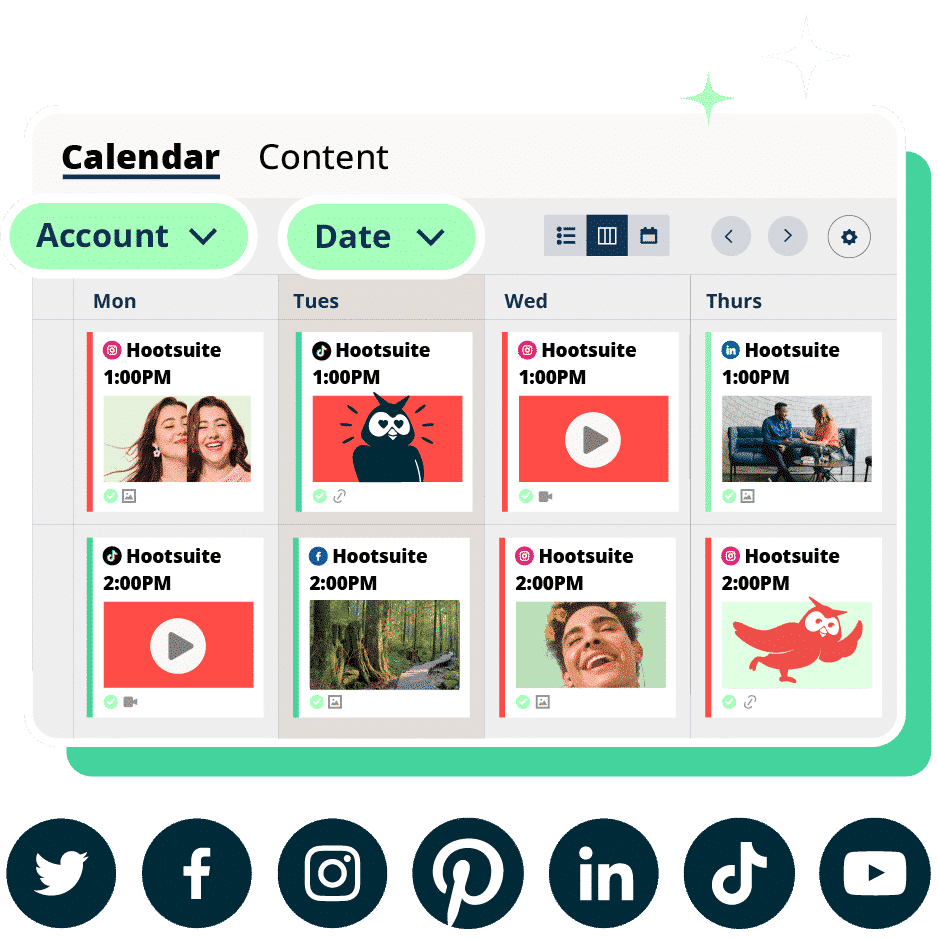
Hootsuite Social OS is a comprehensive, all-in-one social operating system. It includes social media scheduling, in-depth analytics, automated reporting, and easy social listening, so you can handle your social media marketing and customer service from one connected system.
You can also extend the inbox through the Hootsuite app ecosystem. For example, Streamchat lets you add rules-based chatbots for Facebook Messenger and Line, and other integrations add specialized listening and engagement capabilities.
2. Sprout Social

Source: Sprout Social
Sprout Social offers an integrated social inbox that includes tagging and filtering functionality. For example, you can hide completed messages, helping you organize and optimize your inbox.
The messaging view shows a history of customer conversations, along with customer relationship information.
Sprout Social sits at the higher end of the pricing spectrum, with published plans starting at $199/seat/month for Standard and a custom-priced Enterprise tier. It does offer some chatbot support, but coverage is limited to select platforms.
For more details, check out our full comparison of Hootsuite and Sprout Social.
3. Sprinklr

Source: Sprinklr
Sprinklr‘s social inbox tool is a robust message-management offering with a price tag to match. While it’s not suitable for solopreneurs or small social teams, Sprinklr offers good social inbox capabilities powered by AI automations.
One unique feature is the system’s ability to identify mentions as engageable versus unengageable (like a simple link), so you know where to focus your efforts.
This social media inbox tool includes detailed reporting features that can help improve your team’s customer engagement over time.
The biggest barrier to Sprinklr use is its price. It’s built for large enterprises with custom pricing. See how Sprinklr compares with Hootsuite.
Agencies need clear client separation, collaboration tools, and flexible assignment workflows to avoid crossed wires. These platforms make it easier to manage multiple brands from one dashboard:
4. Sendible

Source: Sendible
Sendible‘s social inbox tool offers two views of your social messages.
First, the priority inbox shows messages from your social profiles in chronological order, plus an indication of sentiment. Second, the social feeds view offers a real-time look at messages, organized by social media account.
The priority inbox is an interesting tool, but it has some significant limitations. Messages are delayed by up to two hours, and it only pulls in comments that come in within four days of the original post. It will not notify you of engagement with older posts.
That said, if you tend to get most of your engagement within a few days of posting, it could be a handy way to make sure you answer messages in the order they come in. If you focus more on evergreen content, you’ll need to rely on the social feeds view.
One notable feature of Sendible is the ability for agencies to use it as a white label tool.
5. eClincher

Source: eClincher
eClincher‘s social inbox tool is built with team collaboration in mind. For example, you can create notes and tasks, and assign messages to other team members. You can also use automation rules to auto-assign or auto-tag incoming messages.
eClincher’s social inbox works with WordPress and Yelp in addition to standard social platforms like Facebook, Instagram, LinkedIn, X, and TikTok.
Small teams need organization and efficiency without enterprise-level complexity or pricing. These tools offer strong tagging, saved replies, and collaboration features at a more accessible level:
6. Agorapulse

Source: Agorapulse
Agorapulse offers a social inbox tool for managing organic and paid comments and messages. Agorapulse provides a solid entry-level pricing plan starting at $79/user/month (billed annually), making it accessible for small businesses and solo operators.
On higher-end plans, you can assign messages to other team members, label your conversations for easy tracking, and generate reports. Saved replies cut down on manual response time.
Agorapulse integrates with Salesforce, HubSpot, and Tenor.
7. SocialPilot

Source: SocialPilot
SocialPilot is a solid social media inbox tool for managing private and public messages across social channels. One caveat: it doesn’t include messaging for X (Twitter), so it’s ideal for brands who don’t have a presence on that platform.
SocialPilot’s inbox has basic team collaboration features, letting you invite team members to review interactions. However, it doesn’t automatically route messages to the best team member. Therefore, it may work best for smaller teams.
8. NapoleonCat

Source: NapoleonCat
NapoleonCat‘s social inbox tool is one of its primary features, meaning the inbox has an extensive feature set.
One standout capability: you can manage app store reviews and Google Business Profile reviews right alongside your social messages. It’s also one of the few inbox tools that supports engagement on both organic and paid TikTok content, which is huge if TikTok is part of your strategy.
While NapoleonCat doesn’t integrate with an existing CRM, it does allow you to build user profiles for people who reach out on social. For smaller teams without a dedicated CRM, this is a handy way to track notes and other customer details.
Its smart filtering and auto-moderation tools are also strong time-savers, helping lean teams stay responsive.
9. Content Studio

Content Studio social inbox is simple, clean, and built for teams that want the essentials without a lot of extra layers.
When team members view their inbox, they can see whether anyone else is currently viewing or responding to a message. This can prevent two people from working on the same case.
Saved replies speed things up for common questions, and internal notes make it easier to keep context straight, especially if multiple people are involved.
Like NapoleonCat, Content Studio allows you to create a profile for each person you communicate with on social media, which can be useful for teams that don’t have access to a CRM.
10. Simplified
Source: Simplified
Simplified‘s social inbox is built with small teams and social media managers in mind, especially those juggling multiple clients. Its account grouping feature keeps brands or departments neatly separated, so you’re not second-guessing which voice to use.
You get full conversation context through post history, plus manual team assignments so the right person handles each message. You can also add internal notes to conversations to improve your ability to respond appropriately.
An interesting feature of this tool is the built-in AI assistant that can summarize a conversation or adjust the tone of your response.
One limitation to note: Simplified doesn’t support messaging on X (formerly Twitter). That makes it a stronger fit for brands focused primarily on Facebook, Instagram, and LinkedIn.
11. Pallyy

Source: Pallyy
Pallyy‘s social inbox is built to feel familiar, with a layout that mirrors a traditional email inbox. You’ll find folders, labels, and other organizational tools that make it easy to sort and navigate conversations. It also supports a wide range of social networks, including TikTok comments.
With bulk actions, you can assign groups of messages to other team members, apply labels, and resolve message threads en masse. Color-coded labels make things easy to track visually.
Pallyy does offer automations for things like assigning incoming messages to teammates, but they rely on manual rules you set up rather than AI-powered filtering.
Pallyy offers a free plan, but it doesn’t include the social inbox tool.
If your focus is public engagement rather than direct messages, you may not need a full unified inbox.
12. Buffer

Source: Buffer
Buffer’s social inbox is a useful tool for those focused on managing public engagement. It uses a grid view to show the number of unanswered comments for each post, so you can see where comments are coming from.
Using filtering and machine learning, this social inbox tool indicates whether those comments include details like questions or negative sentiment.
One unique feature is the ability to use keyboard hotkeys for quicker responses.
Unlike Hootsuite, Buffer does not include private messages in its social media inbox tool, and it focuses on public comments for Facebook and Instagram. Check out our full breakdown of how Buffer compares to Hootsuite.
Choosing the right social inbox tool comes down to matching a platform to how your team actually works. Instead of chasing the longest feature list, focus on the criteria that fit your size, volume, and goals.
Here are the factors that matter most for smart social inbox management:
- Team size: Solo operators and small teams can thrive on lightweight tools with saved replies, while larger teams need routing, assignments, and permissions to stay organized.
- Message volume: If you handle thousands of conversations a month, look for automation and AI. If volume is low, a simpler tool may be plenty.
- Platform coverage: Confirm the tool supports every network you’re active on, including private messages and paid comments where relevant.
- Budget: Free and entry-level plans work for small teams, but heavy volume and advanced features usually justify a higher tier.
- CRM integration: If your sales and support teams rely on customer history, a tool with CRM integration keeps everyone in sync.
- AI and automation needs: Consider whether you want AI-suggested replies, chatbots, or sentiment detection to speed up responses.
Once you know which of these matters most, the comparison table above makes it easy to shortlist the best social inbox tools for your team.
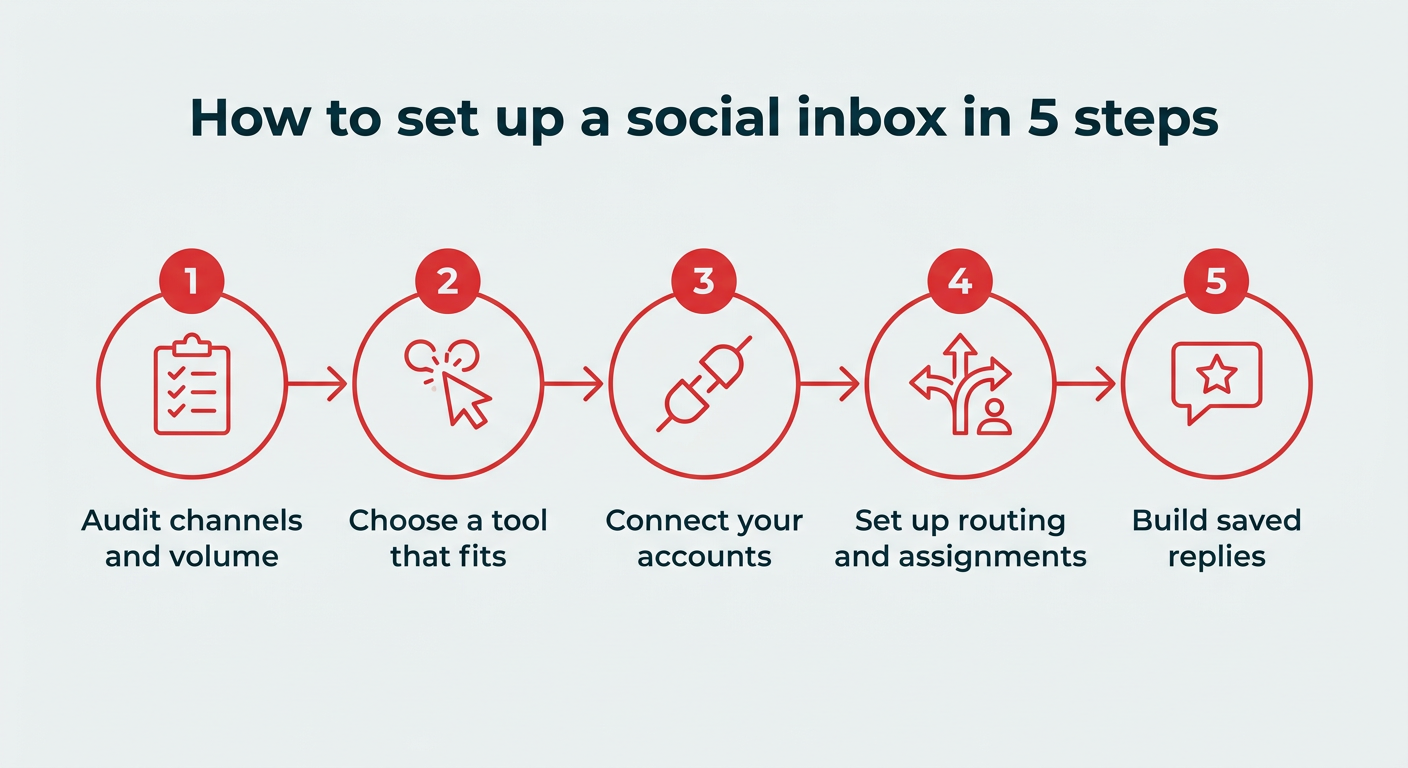
Setting up a social inbox is straightforward once you’ve picked a tool. Here’s a simple five-step process to get your unified social inbox up and running.
- Audit your channels and volume: List every social account your brand runs and estimate how many messages each one receives. This tells you which platforms and features you actually need.
- Choose a tool that fits: Match your team size, budget, and platform coverage to the right option using the comparison above.
- Connect your social accounts: Link each profile to your new tool so all comments, DMs, and mentions flow into one dashboard.
- Set up routing and assignments: Create rules (or use AI classifiers) that send messages to the right person or team, and assign owners so nothing gets missed.
- Build saved replies and automations: Add saved responses for common questions and set up chatbots or filters to handle routine messages automatically.
With those steps in place, your team can start responding faster from day one.
FAQ: Social inbox tools
What is a social inbox?
A social inbox is a centralized dashboard that collects and organizes all your brand’s social media interactions, including DMs, comments, mentions, and reviews, from multiple platforms into one place. Instead of checking each app separately, your team works from a single view.
What are social inbox tools and how do they work?
Social inbox tools are online tools that manage messages from social media platforms in one place. Instead of jumping between apps, you get one centralized dashboard for DMs, comments, mentions, and questions. From there, teams can see what needs a reply, assign conversations to the right person, and respond quickly.
How do social inbox tools improve response time and engagement?
Social inbox tools improve response time by keeping everything organized in one place. Instead of switching between apps, every message lives in one dashboard. Automatic routing sends conversations to the right person instantly, and chatbots handle common questions on the spot. The result: faster replies, fewer missed messages, and customers who actually feel heard.
What are the best social inbox tools for managing customer conversations?
Some of the most popular social inbox tools include Hootsuite, SocialPilot, and Buffer.
What is the difference between a social inbox and a social media management tool?
The difference between a social inbox and a social media management tool is that a social inbox focuses mainly on messages and conversations. It’s designed to help teams reply to comments, direct messages, and mentions. A social media management platform typically includes a broader set of features, like scheduling posts, running analytics reports, and social listening. Some platforms combine both, like Hootsuite Social OS.
What features should enterprises look for in a social inbox tool?
Enterprises should look for features like smart message routing, CRM integration, and detailed reporting. Advanced tagging and filtering can help sort urgent issues from routine questions, and AI tools can handle common questions automatically.
Can I manage social media messages for free?
Yes, several social inbox tools offer free plans, though they typically come with limitations on message volume or platform support. Tools like Simplified include free tiers, but heavier volume and advanced features usually require a paid plan.
What app can I use to see all my social media accounts in one place?
Social inbox tools like Hootsuite Social OS, Agorapulse, and NapoleonCat let you view and manage messages from all your connected social media accounts in a single dashboard. This saves you from logging into each platform separately to keep up with conversations.
Do social inbox tools support AI-powered responses?
Yes, many social inbox tools now include AI-powered features such as suggested replies, automated chatbots, sentiment detection, and conversation summarization. These features help teams respond faster and handle routine questions without manual effort. If AI matters to your workflow, explore the current social listening and engagement tools that include it.
How is a social inbox different from a help desk tool?
A social inbox is specifically designed to manage social media conversations, while a help desk tool like Zendesk or Freshdesk is built for multi-channel customer support including email, phone, and chat. Many teams use both, with a social inbox handling public and private social messages and a help desk covering other support channels.
Save time managing your social media marketing strategy with Hootsuite. Publish and schedule posts, find relevant conversions, measure results, and more â all from one dashboard. Try it free today.