
Key takeaways
- A social media audit is a structured review of every social account you manage, designed to surface what’s working, what’s not, and where to invest next.
- The audit process covers branding consistency, content performance, audience demographics, competitive benchmarking, and compliance.
- Running audits quarterly keeps your strategy aligned with business goals and prevents wasted spend on underperforming channels.
- Tools like Perch by Hootsuite consolidate cross-platform analytics, benchmarking, and reporting so audits take hours instead of days.
A social media audit is a structured review of all your social media accounts that compiles and analyzes your performance across platforms.
Think of your social media audit as a report card: It identifies strengths, areas for improvement, and next steps. It’s typically run by social media managers, marketing directors, or agency teams, and it covers both your organic and paid presence. It also helps marketing leaders evaluate social ROI, update content strategy, and make smarter budget decisions.
A social media audit helps you make better strategic decisions and gives marketing leaders the evidence they need to justify where budget and effort should go, especially when 59% of CMOs report insufficient budget to execute their strategy. Here’s what a good audit surfaces:
- Underperforming channels: See which platforms deserve more (or less) investment.
- Content performance: Learn which formats drive the most engagement or conversions.
- Proof of ROI: Give leadership clear numbers that connect social activity to business results, particularly with global social ad spend reaching $276 billion in 2025.
- Team alignment: Tie day-to-day marketing work back to company goals.
- Branding issues: Catch inconsistencies across profiles before they hurt trust.
- Competitive opportunities: Spot gaps and openings your competitors are missing.
In short, an audit turns scattered data into a clear picture of what to do next.
A social media audit is a diagnostic snapshot of where you are, while a social media strategy is the forward-looking plan for where you’re going. The two work together: the audit tells you what’s happening now, and the strategy uses those findings to map your next moves.
An audit reviews your accounts, performance, branding, and audience at a single point in time. It answers “what’s working and what isn’t?” A social media strategy is the ongoing playbook that sets goals, defines your content approach, and guides how you show up over the coming months. Put simply: The audit tells you where you are, and the strategy tells you where you’re going. Run the audit first, then build or refine your strategy on top of it.
Now that you know what an audit covers, use our handy social media audit checklist to make sure you don’t miss a single step in the process below.
If you’re ready to get into the audit (or want your own version of this checklist), download the free audit templates here.
To conduct a social media audit, follow these steps:
- List all your social media accounts
- Review branding and profile consistency
- Identify your top-performing content
- Evaluate each channel’s performance
- Benchmark against competitors
- Understand your audience on each platform
- Review compliance and governance
1. List all your social media accounts
Jot down all your social media accounts to start, from the platforms you use daily to ones you may have neglected. Active or inactive, it’s important to catalog your online presence as part of your social media audit. Don’t forget newer platforms like Threads and Bluesky, which many brands added to the mix over the past year.
In addition, think about the accounts you don’t have yet. With 5.75 billion social media users in 2026, the landscape keeps expanding. Are there platforms you haven’t considered?
In larger organizations, this step also means checking for rogue or unauthorized accounts created by different departments or regions. Tracking these down keeps your presence consistent and protects your brand.
You don’t need to be active on every network, but an audit is a good opportunity to add new ideas to your future social media strategy.
Where to find this info:
Search each major social network for your brand name (and even your products). Not only might this uncover long-forgotten Facebook groups, but it’s also a chance to catch any imposter or misleading accounts that you can then shut down or report.
Pro tip 💡: Set up a social media monitoring program to catch any future fake accounts.
2. Review branding and profile consistency
Check each of your social media accounts to see whether they align with your current brand style guidelines.

Review the following areas for each social account:
- Profile and cover images. Do your images reflect your current branding and adhere to each social network’s image size requirements?
- Profile/bio text. Is every field in your social media profile filled in accurately? Does the copy match your tone and voice guidelines?
- Username. Try to use the same username across all social channels, though having more than one account per network is okay if they serve different purposes. (For example, we have X accounts like @Hootsuite and @Hootsuite_Help.)
- Contact information and links. Does the URL in your profile go to the correct website or landing page? Are your phone number and contact email still correct?
- Pinned posts (if applicable). Evaluate your pinned posts to ensure they’re still appropriate and up-to-date.
- Verification. Is your account verified with a blue checkmark badge? If not, should you try? We have guides on how to get verified on Instagram, TikTok, Facebook, and X (formerly Twitter) if you want to pursue this.
Where to find this info:
Visit each of your social profiles and see how you’re showing up online. Be sure to click on any links to see if they need to be replaced.
3. Identify your top-performing content
Next, audit your social media content. For each social platform, list your five top-performing posts. Include links to each post so you can easily review them later.
But wait – what makes a “top-performing post?” That depends! A good place to start is ranking posts by engagement rate to see what your audience responds to.
That said, you may want to focus on a different metric, like link clicks, video views, or conversions, depending on your unique goals for each platform.
Look through your top posts for patterns. For example:
- What type of content is getting you the response you want? Photo posts? Videos? Feed, Stories, or Reels?
- What style of content has the highest engagement metrics: Candid, behind-the-scenes content, or polished and professional posts?
- Are people responding in the same ways across all networks? Does specific content perform better on one platform than another?
- Do people engage with your posts if you ask a question?
- Are your top posts aligned with your current brand voice? (If not, but they’re performing well, maybe it’s time to re-evaluate that voice.)
Record your thoughts in the notes column of your audit document. (We’ll come back to these notes later!)
Where to find this info:
You can use each social platform’s built-in analytics tool to find your top posts based on specific metrics.
Not sure how? We have complete guides to using all of them:
But hold up: That could take forever. A faster option is with Perch by Hootsuite, which offers more comprehensive social media reporting.
With just a few clicks, you can find the top posts for all your social accounts in one place. You can even schedule regular custom reports that are sent straight to your email.
4. Evaluate each channel’s performance
In this step, evaluate how each social channel contributes to your overall marketing goals.
If you still need to create a mission statement and a few key goals for each social account, now’s the time.
Several accounts may have similar goals, like driving website traffic and increasing conversions. Others may be exclusively for customer service or brand awareness.
For each channel, list out its goal(s) and track your progress toward them.
For measurable goals like traffic or conversions, write down the actual numbers. For example, how many website visits came from Instagram? How many sales came from Facebook Page visitors? If the goal is customer service, write down your CSAT score and see if it’s improving over time. Be specific.
For goals without quantifiable data, record supporting evidence. If your Facebook account is for brand awareness, has your follower count increased? Have you increased your organic or paid reach?
You want to get clear on the purpose of each of your social channels and measure their effectiveness.

Where to find this info:
Finding relevant information will depend on the goals you set for each channel.
Tracking customer service or brand awareness goals? Try using social listening tools to gather data from real customers. For traffic and conversion goals, use Google Analytics.
Tracking conversions from social isn’t an exact science, though it’s easier on some channels than others.
For Meta (Facebook and Instagram), you need to set up Meta Pixel to track website actions. Most brands now use Meta’s Conversions API along with the Pixel to get more accurate data.
Other social networks have their own tracking codes. Many e-commerce platforms also include built-in social tracking tools. Going platform by platform can be tedious, but you can make this step easier by using a social media management tool like Perch by Hootsuite.
You don’t have to take our word for it, either — our own social team uses Perch to conduct their own social media audits.
Running a social media audit through native platforms takes an eternity. But running a social media audit in Perch takes less than an hour. I have custom reports built for each of our networks and one master report that covers them all. These reports make it so simple and quick to scroll through our content and gain insights into what’s working and not working.
5. Benchmark against competitors
Once you understand your own performance, compare each channel against your top competitors using social media industry benchmarks. This competitive benchmarking shows whether your numbers are strong or simply average for your niche.
If you’re a Perch user, we’ve got good news: the platform makes benchmarking a breeze.
Perch can run an Instagram, Facebook, and Twitter/X competitive analysis for you. You can track up to 20 competitors per network and get a clear view of your strengths and weaknesses — plus actionable insights on the top posts, hashtags, and content formats in your niche.
Perch also offers a handy industry benchmarking tool that helps you compare your performance against averages across your industry.
To get industry benchmarks, follow these steps:
- Open Perch and click Explore from the left menu.
- Click Industry.
- Choose your industry and business size.
That’s it! You can set up custom timeframes, switch between networks (including Instagram, Facebook, Twitter, LinkedIn, and TikTok) and look up benchmarks for the following metrics:
- Profile impressions
- Profile reach
- Followers
- Audience growth rate
- Engagement rate
- Video plays
- Posting frequency
- Clicks
- Shares
… and more.
You’ll also find resources to improve your performance right in the summary section.
And, if you need to present your results to stakeholders, you can easily download your comparison report as a PDF file.
If you want to conduct an even more thorough analysis, check out this social media competitor analysis guide and free template.
6. Understand your audience on each platform
Next up: dig into your audience insights to understand exactly who you’re reaching on each platform.
Audience demographics are a good starting point. For example, Facebook’s largest audience segment is men aged 25-34, while YouTube’s largest age group is also 25-34.
While your audience may differ from the norm, we’ve compiled all the top demographic data for each social network to get you started:
Learn the demographics of your unique audience on each platform and use that, along with the types of content they prefer, to create buyer personas. (Don’t worry; we’ve got a free buyer persona template here.)
Where to find this info:
You can find demographic information within each platform’s native analytics. It’s a lot faster if you use Perch’s social listening tools, though.
Search for any topic or keyword, then filter by date, demographics, location, and much more.
You’ll be able to identify thought leaders or brand advocates, understand your brand’s perception in the market, and get immediate alerts if and when your mentions spike (for good or for bad).
7. Review compliance and governance
The final step is often overlooked, but it matters, especially for enterprise teams: review your accounts for compliance and governance. This protects your brand from legal, regulatory, and security risks that can carry real consequences.
Work through the following areas:
- Platform terms of service: Confirm your accounts and content follow each network’s official policies.
- Regulatory requirements: Check that industry-specific rules (such as those in finance, healthcare, or pharma) are being met. In regulated industries, publishing non-compliant content is not just risky, it can be illegal.
- Access controls and permissions: Audit who has access to each account and remove anyone who no longer needs it.
- Content archiving and record-keeping: Make sure posts and messages are being archived if your industry requires it.
- AI usage governance: Set clear rules for how your team uses AI tools to create or schedule content.
For teams managing this at scale, Vigil is Hootsuite’s governance layer, helping you apply consistent rules and approvals across accounts. Building compliance into your audit keeps your social presence safe and defensible.

Once your audit is complete, follow these steps:
- Prioritize a few high-impact changes: Don’t try to overhaul everything at once. Pick 2–3 adjustments that will have the biggest strategic impact and execute those well.
- Reallocate resources and budget: Double down on the social media channels, formats, and campaigns that are driving real results. If something isn’t pulling its weight, it may be time to scale it back.
- Document and share findings: Create a concise social performance summary that outlines what’s working, what’s underperforming, and where investment should increase or decrease. This turns your audit into a leadership-level conversation, not just a marketing exercise.
- Share results with leadership: Present your findings in a short, scannable report format so stakeholders can quickly grasp the takeaways and back your recommendations.
- Schedule the next audit: Audits are easy to postpone once things get busy. Put the next review on the calendar while momentum is high to keep your team accountable.
Consider your audit a reset button. With clearer priorities, your next steps should feel a lot more strategic.
Social media audit best practices
A few habits separate a one-off audit from a repeatable process that actually improves your results. Keep these best practices in mind:
- Standardize your framework: Use the same steps and a standardized template each time so your audits are consistent and easy to compare over time.
- Build cross-team alignment: Pull in input from customer care, comms, and compliance so your audit reflects the full picture, not just marketing’s view.
- Set a regular cadence: Run a full audit quarterly at minimum, and add monthly check-ins if you manage high-volume accounts or frequent campaigns.
- Use AI to speed up analysis: Tools like Wisdom, Hootsuite’s social-first AI, can surface patterns and summarize performance data so you spend less time digging and more time deciding.
- Turn insights into action items: Assign each finding an owner and a deadline so your audit leads to real change, not just a report that gets filed away.
Social media audit examples
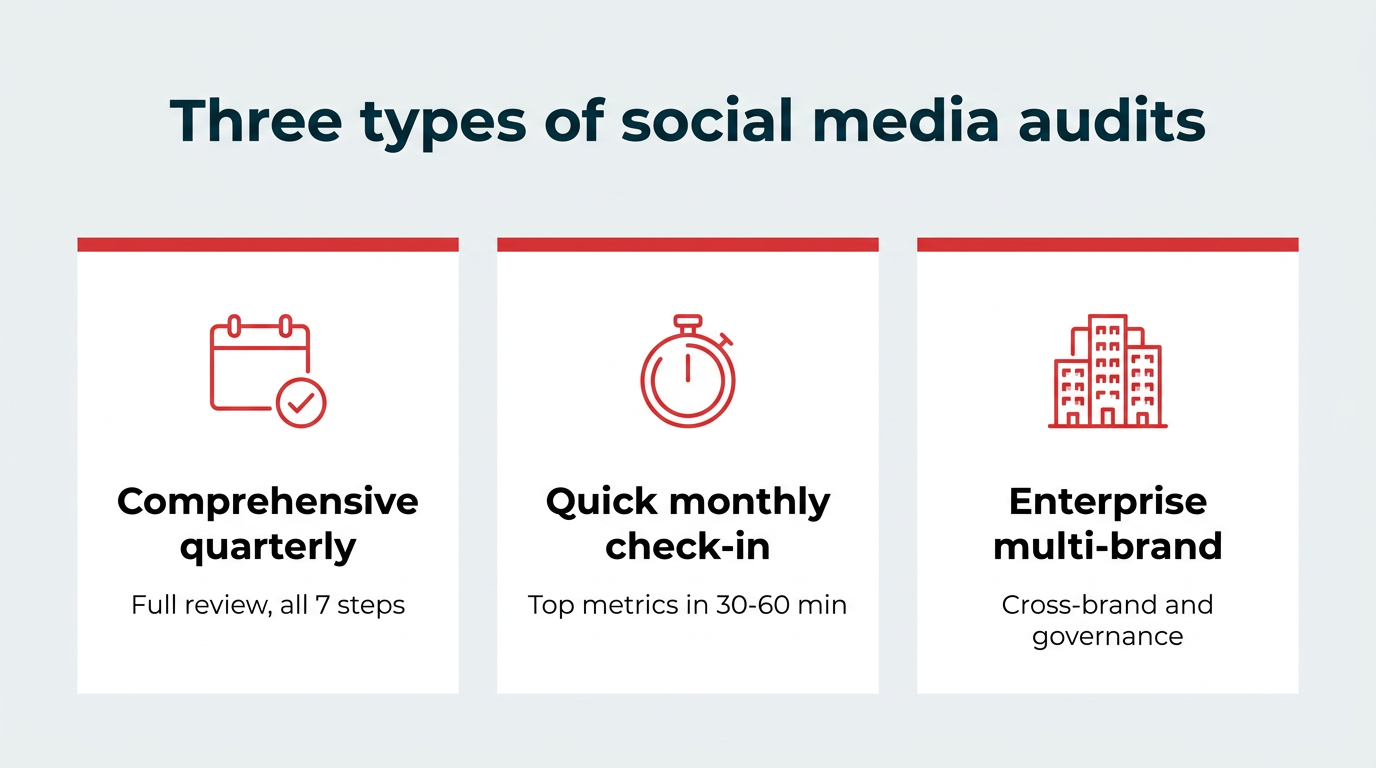
Audits aren’t one-size-fits-all. Here are three common types to show what an audit can look like in practice, depending on your team and goals.
Comprehensive quarterly audit
This is the full review that works through all seven steps above: Every account, branding, content performance, channel goals, competitive benchmarking, audience, and compliance. It’s usually run by a social media manager or small team over several hours, and the output is a detailed report shared with leadership. Use this to reset priorities and guide budget decisions for the quarter ahead.
Quick monthly check-in
A lighter version focused on top-line metrics, your best and worst posts, and any obvious branding issues. It usually takes 30 to 60 minutes and doesn’t require a formal report. The goal is to spot trends early and catch problems before they grow, so you stay responsive between full audits.
Enterprise multi-brand audit
Built for organizations managing multiple brands, regions, or business units. This audit focuses on cross-brand consistency, regional variations, and governance, alongside standard performance and benchmarking. It’s typically coordinated across several teams, and the output highlights where brands align, where they diverge, and where compliance gaps need attention.
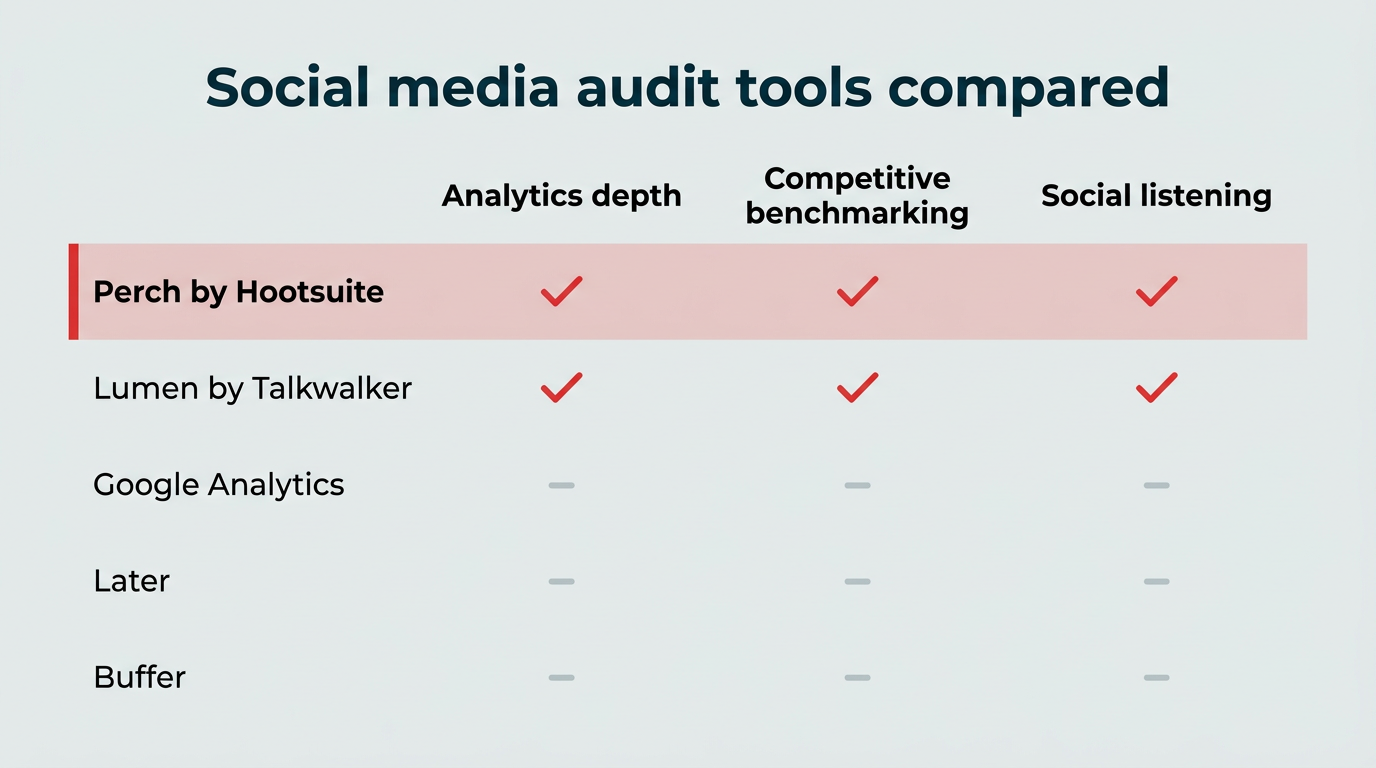
Conducting a social media audit can be time-intensive without the right tools. Here’s how our top five picks compare before we dig into each one:
|
Tool |
Analytics depth |
Competitive benchmarking |
Social listening |
Pricing tier |
Best for |
|---|---|---|---|---|---|
|
Perch by Hootsuite |
Advanced |
Yes (up to 20 competitors) |
Yes |
Paid (free trial) |
End-to-end audits across all platforms |
|
Google Analytics |
Web-focused |
No |
No |
Free |
Tracking social traffic to your site |
|
Lumen by Talkwalker |
Advanced |
Yes |
Yes (advanced) |
Paid |
Sentiment and brand perception |
|
Later |
Basic |
No |
No |
Paid (free trial) |
Content planning and posting times |
|
Buffer |
Basic |
No |
No |
Paid (free plan) |
Simple engagement tracking |
1. Perch by Hootsuite
Perch by Hootsuite can power your next social audit with customizable analytics, competitive analysis, industry benchmarking, and social listening.
Use it to review growth, engagement, audience behavior, top-performing posts, and channel performance from one connected workflow.
2. Google Analytics
Google Analytics is mainly used to track website performance. However, it can also help you measure how well your social media campaigns are working.

Source: Google
Use it to see how much traffic your social accounts send to your website, especially if that’s one of your overall marketing goals.
3. Lumen
Lumen is an advanced social listening and intelligence platform. It helps brands track what people are saying online, monitor sentiment, spot trends, and understand the conversations shaping brand perception.
Part of the Hootsuite Social OS, Lumen helps teams connect social listening insights with content, reporting, and strategy.
Lumen helps you monitor brand mentions across social networks and the broader social web, including newer platforms like Bluesky.
It also provides real-time insights, including sentiment analysis, trending topics, and conversation spikes, so you can keep a pulse on how people feel about your brand.
4. Later
Later is a social media planning tool that helps you schedule and preview posts before they go live.
Beyond content planning, Later can help with your social media audit by providing insights into the performance of your posts and help optimize posting times.

Source: Later
However, the platform does lack some more advanced social media analytics features like competitive analysis and industry benchmarking.
5. Buffer
Buffer‘s analytics makes it a valuable tool for social media audits, with insights into audience engagement, performance tracking, and demographics.

Source: Buffer
Its user-friendly dashboard is simple and straightforward, but it doesn’t come with social listening features or competitive benchmarking.
Now that you know where you stand, think about ways to improve your social media metrics. It’s time to revisit the notes you made earlier.
Here are a few questions to ask yourself:
- Which platforms are driving the most results?
- Are there new platforms or emerging trends you should be leveraging?
- Are you neglecting any platforms? Do you even need them, or would it be better to ditch them and focus on your higher-performing ones?
- What content types are working best right now? How can you make more of this?
- Is your content resonating with your expected audience demographics, or has a new potential persona emerged?
Think about new content and campaign ideas, building off what you learned from your top content in step three.
For example, if video is a big hit, write down a specific strategy to work more video into your marketing. That could be “Post 3 new Instagram Reels per week” or “Repurpose existing long-form video into short, 15-second clips for social media.”
These decisions don’t have to be forever. Successful marketing depends on testing and experimenting to find what works for your audience.
For each new strategy and idea, write it down in your marketing plan. (Don’t have one yet? We’ve got you covered with yet another awesome template: this free social media marketing plan document.)
Treat this as the start of an ongoing cycle: each audit feeds your strategy, and each strategy sets up the next audit. Remember: your marketing strategy is a living document, so keep it current.
Once you’re done with your audit, plan the next one! Quarterly works well for most companies, although you may want to check in monthly if you run many campaigns or channels. Regular audits connect your team’s day-to-day marketing work with your company goals. Over time, you’ll refine your strategy and learn how to best connect with your audience.
FAQ: Social media audit
What is a social media audit and why is it important?
A social media audit is a structured review of all your social accounts and how they’re actually performing, and it’s important because it helps you make intentional decisions about budget, content, and priorities. It shows what’s working, what needs improvement, and where to focus next.
How do you conduct a social media audit step by step?
To conduct a social media audit step by step, first list all your accounts and review your branding, then identify your top-performing content and evaluate each channel’s performance. Next, benchmark against competitors, understand your audience, and review compliance. Finally, use your findings to update your strategy. That’s seven steps in total.
What metrics should be included in a social media audit?
The metrics you include in a social media audit should match your business goals. Common metrics include engagement rate, reach, follower growth, clicks, and conversions. If customer service is a goal, you should also measure response time and satisfaction scores. The key is measuring what actually moves your business forward, not just vanity metrics.
What should a social media audit checklist for businesses include?
A social media audit checklist for businesses should include a review of all accounts, branding, and profile details. It should also cover content performance, audience insights, and goal alignment. Think of it as quality control for your social presence. A checklist keeps the review structured so nothing important slips through.
How often should enterprises perform a social media audit?
Enterprises should run a social media audit at least quarterly. This keeps large teams aligned and prevents strategy drift. If you’re running frequent campaigns or major launches, monthly performance check-ins can give you even sharper insights.
How much does a social media audit cost?
The cost of a social media audit ranges from free (if done in-house using templates and native analytics) to several thousand dollars when outsourced to an agency, depending on the number of platforms, depth of analysis, and competitive benchmarking required. Using a tool like Perch by Hootsuite keeps costs low while still delivering agency-level depth.
Can ChatGPT or AI do a social media audit?
AI tools like ChatGPT can assist with parts of a social media audit, such as analyzing content patterns or summarizing performance data, but they can’t pull live analytics from your accounts or replace the strategic judgment needed to act on findings. AI features built into a platform, like Hootsuite’s Wisdom, can go further by working directly with your connected data.
What is the difference between a social media audit and a social media strategy?
The difference between a social media audit and a social media strategy is that an audit is a diagnostic review of your current social presence and performance, while a strategy is the forward-looking plan you build based on those findings. The audit tells you where you are; the strategy tells you where you’re going.
What are the most common mistakes in a social media audit?
The most common mistakes in a social media audit are focusing only on vanity metrics like follower count, skipping competitive benchmarking, and failing to turn findings into a concrete action plan. Avoid these by tying every metric to a business goal and assigning owners to each action item.
Do I need a social media audit tool or can I do it manually?
You can conduct a social media audit manually using native platform analytics and a spreadsheet, but a dedicated tool like Perch by Hootsuite significantly reduces the time required by consolidating data from all platforms in one place. For teams managing several accounts, a tool quickly pays for itself in saved hours.
Save time managing your social media marketing strategy with Hootsuite. Publish and schedule posts, find relevant conversions, measure results, and more â all from one dashboard. Try it free today.